
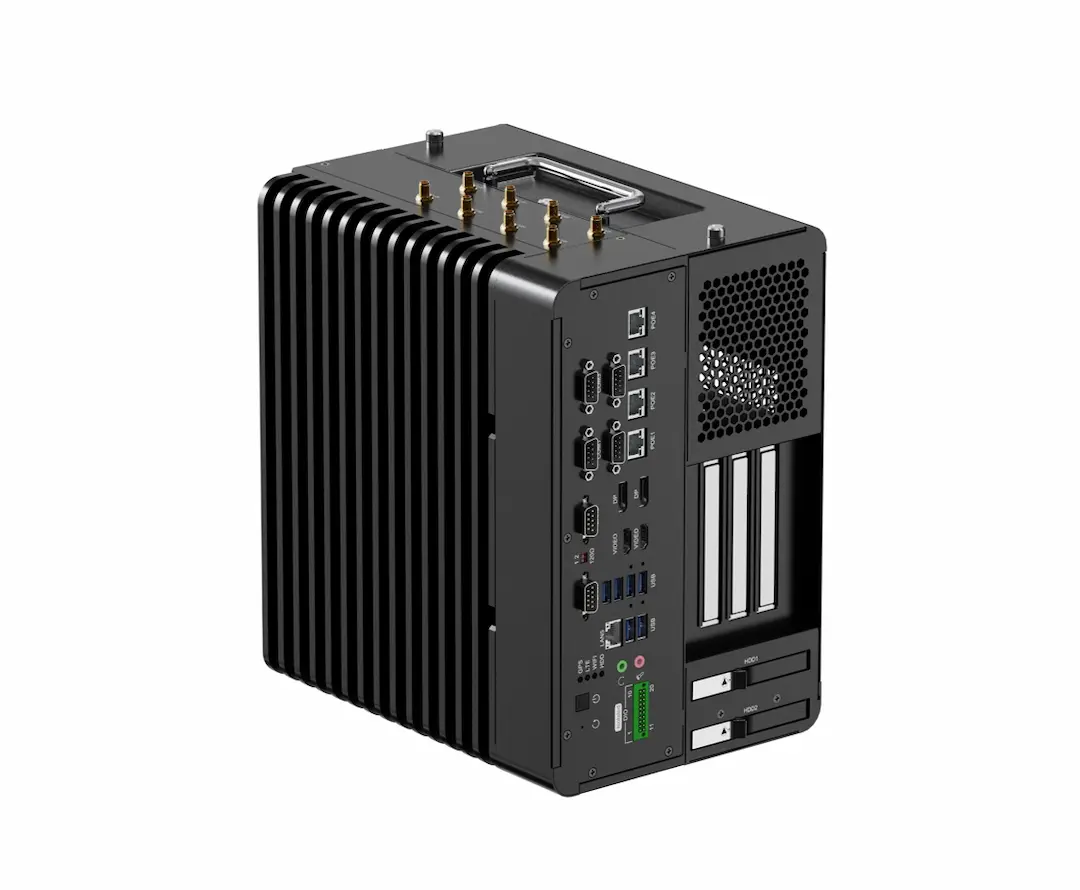
The same inspection camera can demand different engineering work depending on the processor beneath it. The choice depends on the complete capture-to-control path, not the processor label.
Vantron’s embedded industrial computer category includes compact fanless controllers and GPU-accelerated AI computers for vision inspection, robotics, and edge processing. An industrial ARM computer can fit a tightly managed deployment, but you still need to check software, camera interfaces, thermal limits, and maintenance effort.
What Does a Machine-Vision Computer Need to Do?
A machine-vision computer receives frames, preprocesses images, runs an inspection model, and returns a result to a PLC, robot, or display. An accelerator may handle inference while the CPU manages I/O and application logic.
Consider a packaging line checking labels. The system needs camera acquisition, lighting control, model execution, and a response before the next item reaches the reject station. A processor that performs well in a benchmark can still disappoint if its driver, runtime, or I/O path introduces delays.
Separate inference from the rest of the application. A GPU or NPU can help with neural-network calculations, but only when the runtime supports the model format and driver stack. Local inference reduces the need to send raw images to a remote server, yet it does not remove requirements for logs, software updates, recovery, and data retention.
x86 Preserves Software and Peripheral Compatibility
x86 remains a practical fit when your vision application depends on Windows or Linux libraries, camera SDKs, or compiled binaries. Intel-based systems can reduce porting work for a factory controller using OpenCV extensions, inspection middleware, and fieldbus utilities.
That compatibility matters during a retrofit. Suppose a plant is replacing a control cabinet computer while keeping cameras, PLC logic, and a validated inspection application. An x86 computer may preserve more of the tested software path. Drivers, USB bandwidth, and storage behavior still need validation under the real frame rate.
Expansion is another x86 consideration. A larger industrial computer can provide more room for camera connections, display outputs, field I/O, and a discrete accelerator. That helps at a warehouse pick station where several cameras inspect a parcel from different angles while the controller drives a touch display and label printer.
The cost is physical and thermal. More expansion and processing headroom can require a larger enclosure, a higher thermal budget, or active airflow. Fanless designs can work, but cooling stays inside its thermal envelope only when workload, ambient conditions, mounting, and enclosure design are considered together.
ARM Fits Compact Edge-AI Vision Systems
ARM is attractive when you control the software image and need a compact computer at the point of capture. An ARM SoC can combine CPU cores, media functions, and an AI accelerator. NXP i.MX8 / i.MX9, Qualcomm, and MediaTek Genio are platform families engineers may evaluate.
Picture an AGV reading floor markers and obstacle cues while moving through a warehouse. A compact, fanless controller can simplify integration and reduce heat near batteries and sensors. The category’s AGV/AMR example describes ARM as a cost-efficient alternative to x86 for simpler applications, with ROS 2 support and safety I/O compatibility. That is workload-specific, not a rule that ARM replaces x86.
ARM also changes the software question. You may need to rebuild an application, replace a camera SDK, or adapt a model runtime. An ARM board will not run legacy x86 binaries without a porting cycle. That work can be reasonable with Linux and a stable camera set, but it belongs in the schedule and program cost.
The accelerator deserves separate review. A neural-network engine can improve throughput for supported operations, while unsupported layers may fall back to the CPU. Test the model, preprocessing, postprocessing, and camera pipeline on the target system rather than comparing accelerator names alone.
Thermal Design and I/O Can Change the Choice
Architecture affects heat, but the enclosure and workload decide whether that difference matters. A fanless computer beside a food-packaging line may avoid dust pulled through a fan, yet continuous inference can still raise internal temperature. A brief laboratory test is not a substitute for a sustained run inside the installed enclosure.
Check the I/O path before choosing the processor. Camera count, link speed, trigger timing, USB or Ethernet behavior, display outputs, serial ports, CAN, digital I/O, and storage access all influence the design. A small vision node may need one camera and discrete I/O; a robotic cell may need synchronized streams and a separate control network.
An Industrial Embedded Computer is an integration choice as much as a compute choice.Operating-system and development options vary by product within the category. Check the selected model for its supported Android, Linux, or Windows environment and any available SDKs before planning device-level integration. Match the operating system and drivers to the product life, then confirm each required interface during design review.
Choose the Architecture From the Vision Workload
Choose x86 when you need to retain a mature x86 application, depend on specific Windows or Linux camera libraries, require broad expansion, or expect the controller to combine demanding peripheral and display roles. The value is lower porting risk, provided the enclosure can manage the thermal design.
Choose ARM when the deployment has a controlled Linux image, a defined camera set, compact mechanical constraints, and an inference runtime validated for the model. It can fit a focused edge node such as an AGV sensor controller or single-station inspection device, particularly when the software stack is designed for that architecture from the start.
Before freezing the BOM, rank the project by four tests: software portability, camera and I/O fit, sustained thermal behavior, and service plan. A kiosk also needs diagnosis, update recovery, and logs linking a rejected item to a model version and camera setting. Vantron has worked in embedded computing since 2002 and offers long-lifecycle supply and engineering support.
For a system that needs a tailored OS, interfaces, enclosure, or logo, Vantron offers OEM/ODM customization and FAE support. Treat that review as one input to the engineering decision, alongside representative application testing.
